

 GPT Image 2.6 团队
The short answer: if you are on 2.5 and you make still images, there is one reason to move, GIF or SVG output, and one to stay, because 2.6 has no Batch rate. Per-token rates and the quality scale are unchanged. Of the three new capabilities, only complexity changes how a still image is drawn, and it sets how much the model plans before it draws. Markup editing ships with 2.6 but works on 2.5 too.
GPT Image 2.6 vs 2.5 at a glance
| GPT Image 2.5 | GPT Image 2.6 | |
|---|---|---|
| Model IDs | gpt-image-2.5-flare, -sunburst |
gpt-image-2.6-flare, -sunburst |
| Quality | auto, low, medium, high, xhigh, max | Same six |
| Complexity | Not available | low, medium, high (defaults to high) |
| Output formats | PNG, JPEG, WebP | Adds SVG and GIF on generations |
| Markup edits | Supported | Supported |
| Background | auto, opaque, transparent | Same three |
| Image input | $8 per 1M tokens | Same |
| Image output | $30 per 1M tokens | Same |
| Batch image output | $15 per 1M tokens | No Batch rate |
Every row is sourced from OpenAI's docs, linked at the end. The API reference collects the model IDs and token rates in one place. The six quality levels are an API setting; this site offers low, medium and high.
The three new capabilities
A complexity dial. It controls how much the model plans before it renders. Low is less planning, high is more. Both variants use high when you leave the field out, so doing nothing is already the maximum setting.
Animated GIF output. output_format accepts gif on generations, alongside PNG, JPEG and WebP. The API takes a frame count and a frame delay, so you set how long the loop runs and how fast.
SVG output. output_format also accepts svg on generations, and SVG can carry transparency. The edit endpoint returns raster images and takes neither format.
Nothing about sharpness or prompt style changed. This page covers the request settings that change a still image.
Markup editing is not a 2.6 exclusive
OpenAI's changelog for the 2.6 release says markup-guided editing was added "for supported GPT Image 2.5 and 2.6 models". It works on both.
On an edit, you upload a transparent PNG at the same pixel dimensions as the first input. Circles, sketches or other annotations show where to work. Afterwards, compare the rest of the frame against the original. OpenAI does not guarantee the rest will sit still.
So if markup is the reason you are considering 2.6, check your 2.5 setup first.
The one setting that changes a still image
OpenAI separates the two controls. Quality handles rendering detail such as texture and small lettering. Complexity handles planning.
OpenAI's test is layout versus text. If the layout is right but small text is hard to read, compare quality settings at the same complexity. A higher complexity setting can help a dense layout, but it is not a guaranteed fix for a wrong structure.
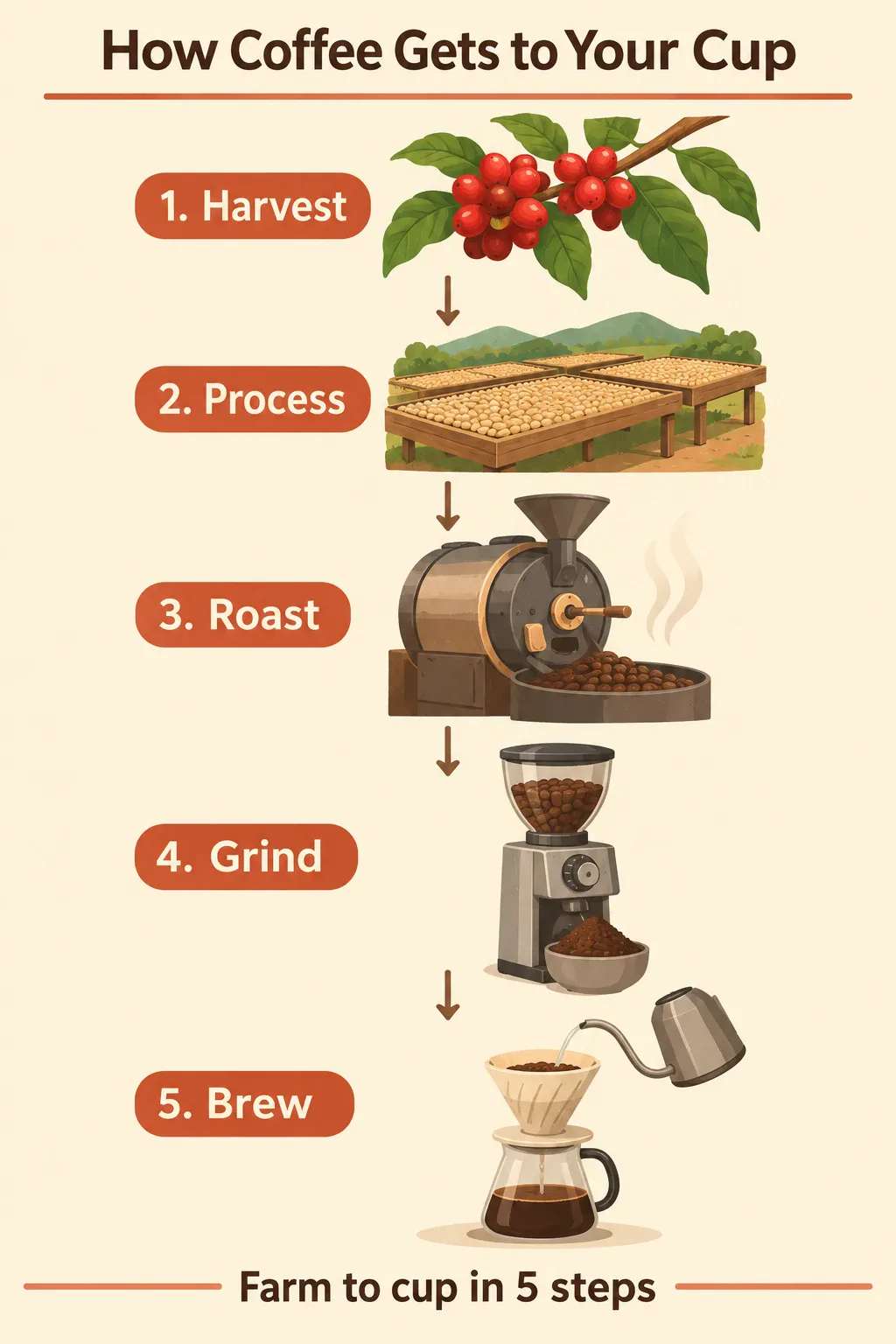
A 1024×1536 infographic. Every step label and the footer line are spelled correctly, which is what the quality setting governs.
For most still-image work the default of high is the right answer. Turn complexity down when you want fast drafts and you can accept a looser layout.
What didn't change
Per-token rates are identical, and that is where the similarity ends. OpenAI warns that equal token rates do not mean an equal cost per image. The two models can use different token counts at the same quality and size. Run the cost calculator before you budget a switch.
The variant split holds: Flare is the smaller, faster model, Sunburst the base model for detail and precise edits. Pick Flare while you iterate, Sunburst when the detail has to hold.

A 1024×1024 WebP that keeps a real alpha channel, so it drops onto any background.
What an edit preserves
The pair below starts from one plain photo of a bedroom. The second image keeps the wall, the floor line and the light direction. It fills the rest of the room around them.
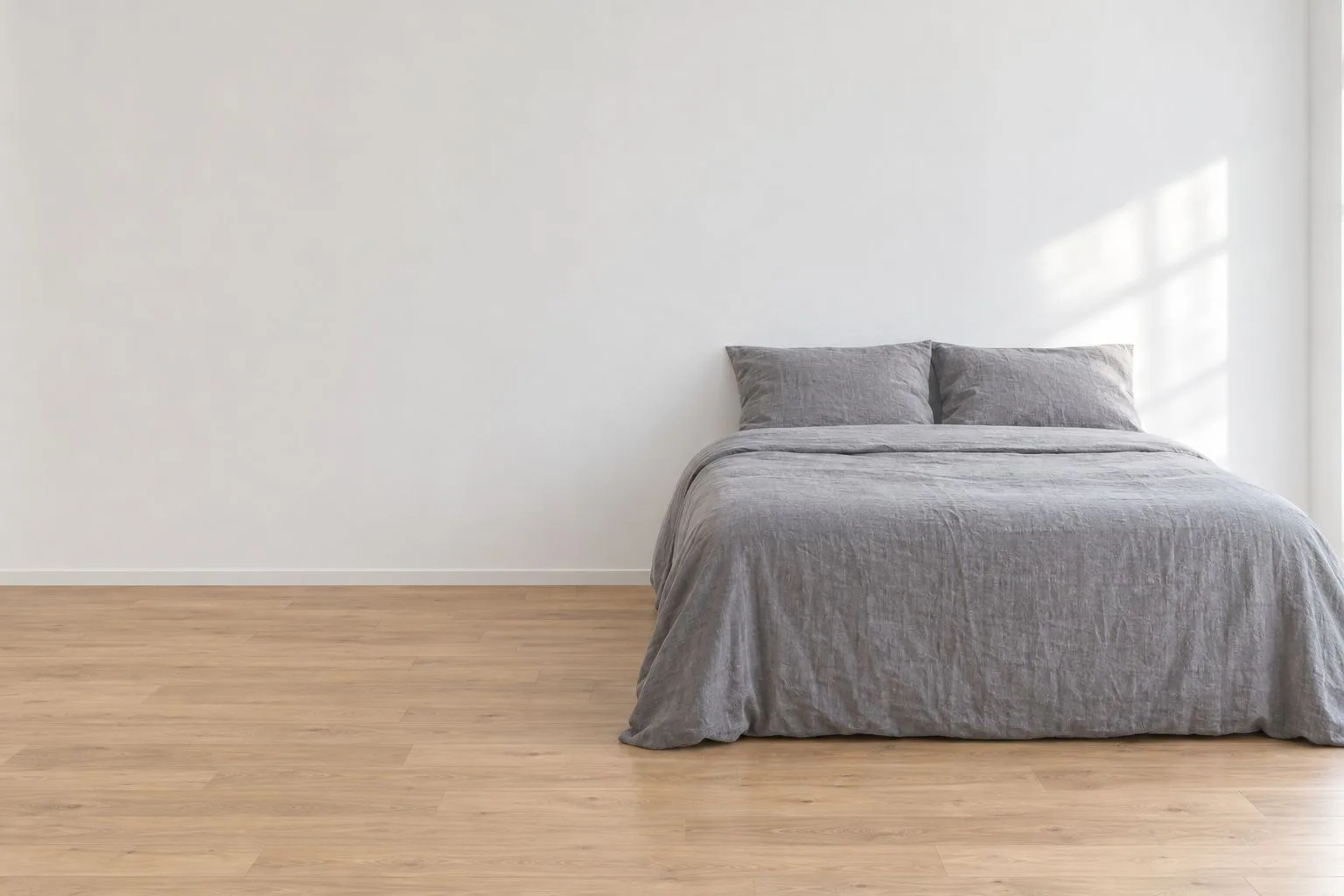
The input: one photo, nothing added to the room.
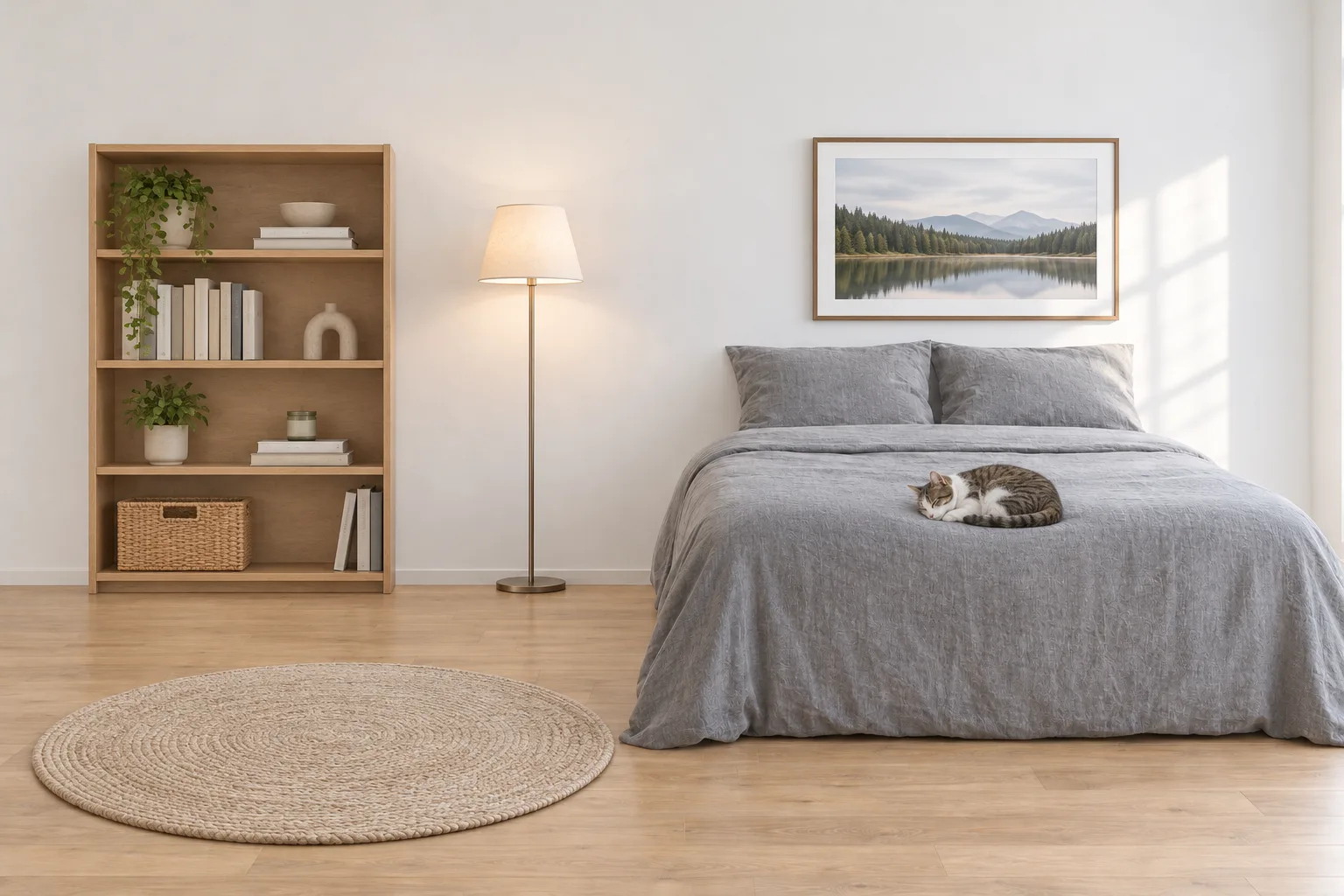
The edit keeps the wall, the floor line and the light direction, and adds furniture around them.
Put one object into an existing photo, then check whether the original frame survived.
Flare or Sunburst on 2.6?
OpenAI's migration guidance, split by your current setup:
| Your current setup | Start with |
|---|---|
| GPT Image 2, and it meets your quality bar | gpt-image-2.6-flare |
| GPT Image 2.5 Flare | gpt-image-2.6-flare |
| GPT Image 2 falls short on a complex task | gpt-image-2.6-sunburst |
| GPT Image 2.5 Sunburst | gpt-image-2.6-sunburst |
The ID swap is one string. Checking that the result still passes is the real work.
Should you move from 2.5?
2.6 has no Batch rate. OpenAI's Batch table lists gpt-image-2 and both 2.5 models; 2.6 is not in it, and its model pages show no Batch price. A Batch pipeline that moves to 2.6 falls back to standard pricing: $30 against $15 per million output tokens. Checked November 5, 2026.
Otherwise it is a feature decision. Move for SVG or GIF output. Stay if that does not touch your pipeline, and do not move just to be one version ahead.
Test it in three steps
- Take five prompts you already run in production, not new ones.
- Run all five on both models at the same quality level and the same size.
- Judge only the failure you care about: broken text, wrong layout, or drift on an edit. If none of the five fails on 2.5, the upgrade buys you nothing.
Try 2.6 without an API key
Both variants run in the browser generator. Pick Flare for a quick pass, Sunburst when the details have to hold. Then choose a still at 1K, 2K or 4K, or an animated GIF. Quality is low, medium or high; high adds 50% to the credit price, and a GIF has its own price. The exact cost shows before the render starts. Packs are on the pricing page, and the API reference covers model IDs and token rates.
FAQ
Is GPT Image 2.6 more expensive than 2.5?
The rates are the same: $8 per million image input tokens, $30 per million image output tokens and $5 per million text input tokens. Cost per image can still differ, because the models can use different token counts.
What do I set complexity to?
Leave it out. Both variants use high by default, and high is the right choice for final images.
What is the model ID for GPT Image 2.6?
Use gpt-image-2.6-flare for speed or gpt-image-2.6-sunburst for detail and edits. The API reference lists both.
Is markup editing new in 2.6?
It shipped with 2.6, but OpenAI supports it on 2.5 too, so it is not a reason to move on its own.
Is GPT Image 2.6 the same as MAI-Image-2.6?
No. MAI-Image-2.6 is Microsoft AI's model and GPT Image 2.6 is OpenAI's.
Sources
- Image prompting guide — both parameter lists, the quality and complexity split, and the migration table.
- Image generation guide — output formats, markup editing and the per-image cost caveat.
- Changelog — the November 4, 2026 release note for markup on 2.5 and 2.6.
- gpt-image-2.6-sunburst and gpt-image-2.5-sunburst — model pages and Batch pricing.
- API pricing — standard rates for both generations, Batch rates for 2.5 only.
- MAI-Image-2.6 model card — Microsoft's model with the same version number.
Revision log
- November 5, 2026 — Page published.